Content Repurposing Mastery: 11 Smart Ways to Turn One Post Into a Multi-Platform Empire in 2026
Stop creating content from scratch every single day. The smartest social media marketers in 2026 are working smarter, not harder — and content repurposing is their secret weapon.
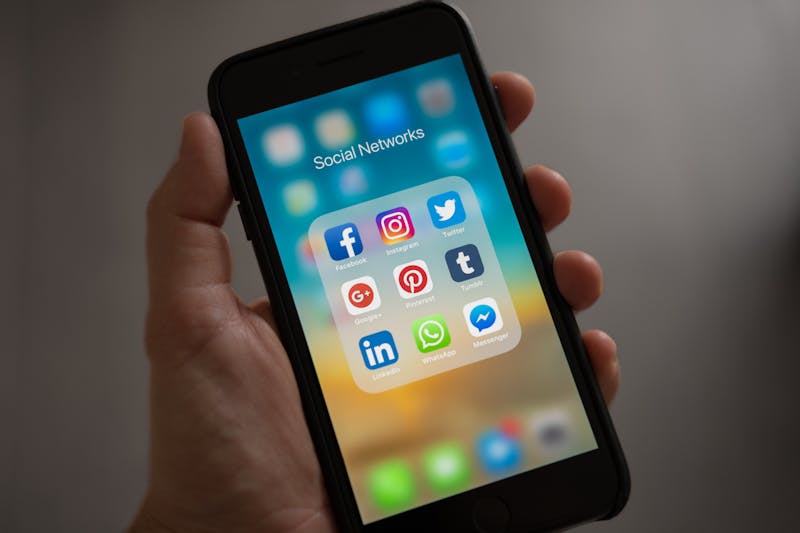
Photo by Pexels
If you're spending hours every week creating unique content for Instagram, TikTok, YouTube, LinkedIn, and X (Twitter) separately — you're doing it wrong. Content repurposing is the art of taking one piece of content and transforming it into multiple formats across different platforms, and it's become the cornerstone of every successful social media strategy in 2026.
In this guide, I'll walk you through 11 actionable repurposing strategies that will multiply your output without multiplying your workload. Let's dive in.
What Is Content Repurposing (And Why It Matters More Than Ever)?
Content repurposing means taking existing content and adapting it for different platforms, formats, or audiences. It's not just copying and pasting the same post everywhere — that's cross-posting, and it usually looks lazy.
True repurposing involves transforming the core idea into native-feeling content for each platform. Think of it like a chef using last night's roast chicken to make today's chicken salad, soup, and tacos. Same ingredient, completely different dishes.
Here's why it's more important than ever in 2026:
- Algorithm saturation: Every platform now demands high-volume, consistent posting. Instagram recommends 3-5 Reels per week. TikTok rewards daily posting. LinkedIn's algorithm favors creators who post 4+ times weekly.
- Creator burnout is real: According to recent industry surveys, over 60% of content creators report burnout. Repurposing reduces the creative burden significantly.
- Cross-platform audiences: Your Instagram followers aren't the same people as your LinkedIn connections. Repurposing helps you reach all segments without starting from zero each time.
The 5-to-1 Rule: Your Repurposing North Star
Before we get into specific tactics, internalize this rule: every single piece of long-form content should generate at least 5 shorter pieces. A 10-minute YouTube video? That's 5+ Instagram Reels, 3 LinkedIn posts, 2 Twitter threads, and a carousel. One piece of content, 10+ touchpoints.
Now, here are the 11 strategies to make it happen.
1. Turn Blog Posts Into Instagram Carousels
Instagram carousels consistently outperform single-image posts in engagement. Take your blog post's key points, distill them into 7-10 slides, and design them using Canva or Adobe Express.
Pro tip: Start with a bold hook on slide 1 (a question or surprising stat), deliver value in slides 2-8, and end with a clear CTA on the last slide. Carousels get saved more than any other format, and saves are a major signal in the Instagram algorithm.
2. Extract Short Clips From Long-Form Videos
If you're creating YouTube videos or podcast recordings, you're sitting on a goldmine. Use tools like Opus Clip, Descript, or CapCut to automatically identify the most engaging 30-60 second segments.
What to look for:
- Moments with strong emotional reactions
- Quotable one-liners or hot takes
- Step-by-step demonstrations
- Surprising statistics or revelations
These clips become your TikToks, Reels, and YouTube Shorts. One 20-minute video can easily yield 8-12 short clips.
3. Transform Twitter/X Threads Into LinkedIn Articles
Twitter threads are essentially outline-formatted content. Take your best-performing thread (check impressions and engagement), expand each tweet into a full paragraph, add context and examples, and publish it as a LinkedIn article or newsletter.
The beauty of this approach is that the thread has already been "market-tested." If it performed well on X, the underlying idea resonates — now you're just giving it a longer shelf life on LinkedIn where content stays discoverable for weeks instead of hours.
4. Convert Data and Stats Into Infographics
Did your blog post mention statistics? Pull those numbers out and create visual infographics. Tools like Piktochart, Venngage, or even Canva make this straightforward.
Infographics are highly shareable on Pinterest (still an underrated traffic source in 2026), LinkedIn, and Instagram. They also make excellent lead magnets when compiled into a downloadable PDF.
5. Turn Customer Testimonials Into Social Proof Content
Every positive review, DM, or testimonial is content waiting to happen. Screenshot it (with permission), design it into a branded template, and share it across platforms. On Instagram, these work as Stories highlights. On LinkedIn, they're perfect for building credibility posts. On X, they make great quote tweets with your commentary.
This is one of the most underutilized repurposing strategies, yet social proof content consistently drives higher conversion rates than any other content type.
6. Repurpose Webinars Into Multiple Content Pieces
A single 60-minute webinar can fuel your content calendar for an entire month:
- Full recording: Upload to YouTube as a long-form video
- Key segments: Cut into 5-8 short clips for TikTok and Reels
- Slide deck: Share on SlideShare and LinkedIn
- Transcript: Transform into 2-3 blog posts
- Q&A section: Turn audience questions into individual social posts
- Key quotes: Design into shareable graphics
That's potentially 20+ pieces of content from one live session. AI-powered content tools can speed up this process by automatically generating transcripts and suggesting clip timestamps.
7. Create "Behind the Scenes" Content From Your Process
When you're creating your main content piece, document the process. Show your setup, your editing workflow, the bloopers, the decision-making. This meta-content performs incredibly well because it adds a human element that audiences crave.
Platform-specific angles:
- TikTok: "How I edit my videos" process reveals
- Instagram Stories: Real-time creation updates with polls
- LinkedIn: "Lessons learned" reflection posts
- YouTube: "Day in the life" vlogs featuring content creation
8. Build Email Newsletters From Your Best Social Posts
Track your best-performing social media posts each week. At the end of the week, compile the top 3-5 into a curated newsletter with added context, behind-the-scenes insights, and exclusive tips.
This creates a valuable feedback loop: social content feeds your newsletter, and your newsletter drives traffic back to your social profiles. It also gives your email subscribers a reason to stay subscribed — they're getting curated, premium content they might have missed.
9. Transform Podcast Episodes Into Quote Graphics
If you host or guest on podcasts, every episode contains dozens of quotable moments. Pull out the most impactful statements, pair them with a branded background, and post them as:
- Instagram feed posts (with the full quote as a caption expanding on the idea)
- Twitter/X posts (the quote + a link to the full episode)
- Pinterest pins (quotes perform exceptionally well on Pinterest)
- LinkedIn posts (quote + your professional commentary)
10. Use the "Pillar and Cluster" Framework
This is where repurposing gets strategic. Create one comprehensive "pillar" piece — a detailed guide, a long YouTube video, or an in-depth podcast episode. Then create "cluster" content pieces that zoom into specific subtopics.
For example, if your pillar is "The Complete Guide to TikTok SEO," your clusters could be:
- "3 hashtag mistakes killing your TikTok reach" (Reel)
- "How I optimized my TikTok captions for search" (Twitter thread)
- "TikTok SEO vs Instagram SEO: key differences" (LinkedIn post)
- "My TikTok SEO checklist" (carousel)
Each cluster piece links back to the pillar, driving traffic and building topical authority.
11. Repurpose User-Generated Content (UGC) Across Your Channels
When your audience creates content about your brand, product, or content — that's free, authentic material. Reshare UGC with credit on your Stories, create compilation videos, or use them in testimonial-style posts.
UGC repurposing works because it builds community, provides social proof, and encourages more audience participation. It's a virtuous cycle that feeds itself.
Your Repurposing Workflow: A Step-by-Step Template
Here's the exact workflow I recommend for turning one piece of content into a multi-platform presence:
- Create your anchor content (blog post, video, or podcast — one big piece per week)
- Extract 5-8 key points from the anchor piece
- Adapt each point to the native format of your target platforms
- Schedule across the week using a tool like Buffer, Hootsuite, or Later
- Track performance to identify which repurposed formats resonate most
- Double down on what works — create more of the formats your audience loves
Common Repurposing Mistakes to Avoid
Before you go full repurposing mode, watch out for these pitfalls:
- Copy-paste syndrome: Each platform has its own vibe. A LinkedIn post shouldn't read like a TikTok caption. Adapt the tone, length, and format.
- Ignoring platform specs: Aspect ratios, character limits, hashtag best practices — they all differ. A 16:9 video won't perform on TikTok (use 9:16).
- Repurposing low-performers: If a piece of content flopped, repurposing it won't magically fix it. Start with your best stuff.
- Forgetting to update: If you're repurposing older content, make sure the information is still accurate. Outdated tips damage credibility fast.
- Over-automating: Tools help, but they can't replace the human touch. Always review and refine before publishing.
The Bottom Line
Content repurposing isn't about being lazy — it's about being strategic. The most successful creators and brands in 2026 aren't the ones creating the most content. They're the ones getting the most mileage from every piece they create.
Start with one anchor piece per week. Apply the 5-to-1 rule. Adapt for each platform's native format. Track what works. Repeat.
Your future self — the one with a full content calendar and zero burnout — will thank you.
What's your favorite repurposing strategy? Drop your tips in the comments below!


Comments
Post a Comment